
A tour of your dashboard
Your dashboard lists every site you've made and is where you create new ones.
Last updated 18 June 2026
Once you're signed in, your Dashboard at sitesplaced.com/dashboard is home base. It lists every site and store you've made, and it's where you start a new one.
What you'll see
- Your sites — a card for each website, store, portfolio or event you've created. Click one to open and edit it.
- Create new — the button to start a fresh site or store.
- Each card shows the name, type and whether it's published, with quick actions to edit, view live, or open settings.
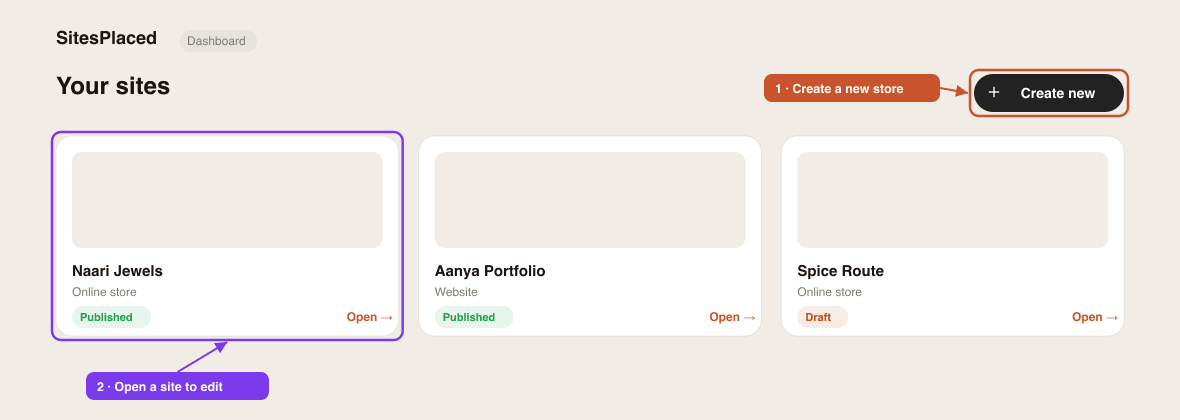
Create a new site
Click Create new and pick what you're building — a website (Studio), an online store, or another type. From there you'll choose a template and start editing. Walk through it in build your first store.
Building an online store?
Stores open into their own dashboard with Products, Orders, Storefront and Settings. See open your free online store.
Didn't find what you needed?