
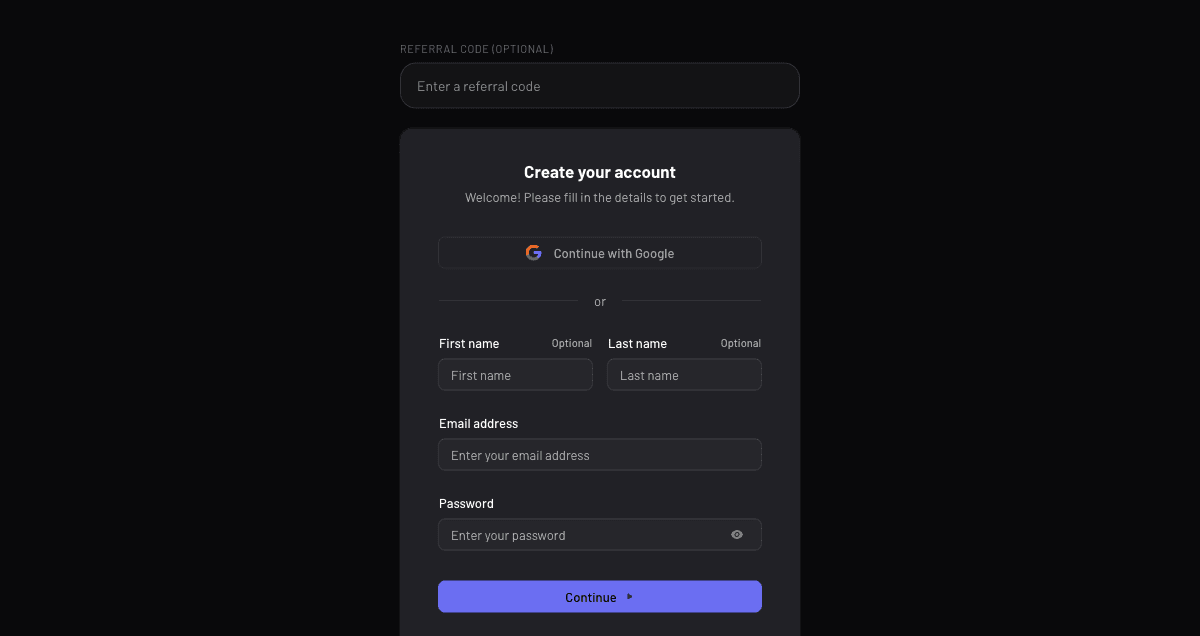
Create your account
Sign up in seconds from sitesplaced.com — no card needed to start building.
Last updated 18 June 2026
Getting started is free and takes about a minute. You don't need a card to sign up — you only pay if you later choose a custom domain or premium add-ons.
Sign up
- 1Go to sitesplaced.com.
- 2Click Sign up (or Get started) at the top.
- 3Continue with Google, or enter your email and a password.
- 4Verify your email if asked, and you're in — your Dashboard opens, ready for your first site.
Signing back in later? Use the Sign in button on sitesplaced.com with the same method you signed up with.
Trouble signing in?
- Use the same method you signed up with — if you used Google, choose Google again.
- Forgot your password? Use the Forgot password link on the sign-in screen.
- Still stuck after that? Contact support and we'll get you back in.
Next: take a quick tour of your dashboard.
Didn't find what you needed?